 NovaAI Compute
NovaAI Compute
NovaAI Compute
Choosing a leading ai computing server manufacturer in 2026 is not simply a matter of buying the fastest hardware. The right partner must match server design to real workloads, whether those involve model training, inference, or data-intensive research. A dense GPU system may look impressive on a specification sheet, yet still be unsuitable for a facility with limited power or cooling capacity.
Details matter. Buyers should examine processor and accelerator options, memory bandwidth, storage, networking, system manageability, and compatibility with their software stack. They should also ask how configurations are tested, what documentation is available, and how technical support works after installation. Clear answers are more useful than broad performance promises.
This article considers how to compare manufacturers using practical, verifiable criteria. Product documentation, independent test results, customer references, and service terms can help separate measurable strengths from marketing language. Where possible, teams should evaluate representative workloads and confirm power, thermal, and deployment requirements before placing an order. Small oversights can become expensive.
There is no universal winner. A manufacturer suited to a large cloud operator may not fit a university lab or a growing business. Budgets, delivery schedules, regional support, and future upgrade paths all influence the decision. Some specifications remain difficult to compare directly, and published benchmarks may not reflect every production environment. A careful shortlist should therefore balance performance with reliability, transparency, and long-term service—not assume that one headline metric tells the whole story.
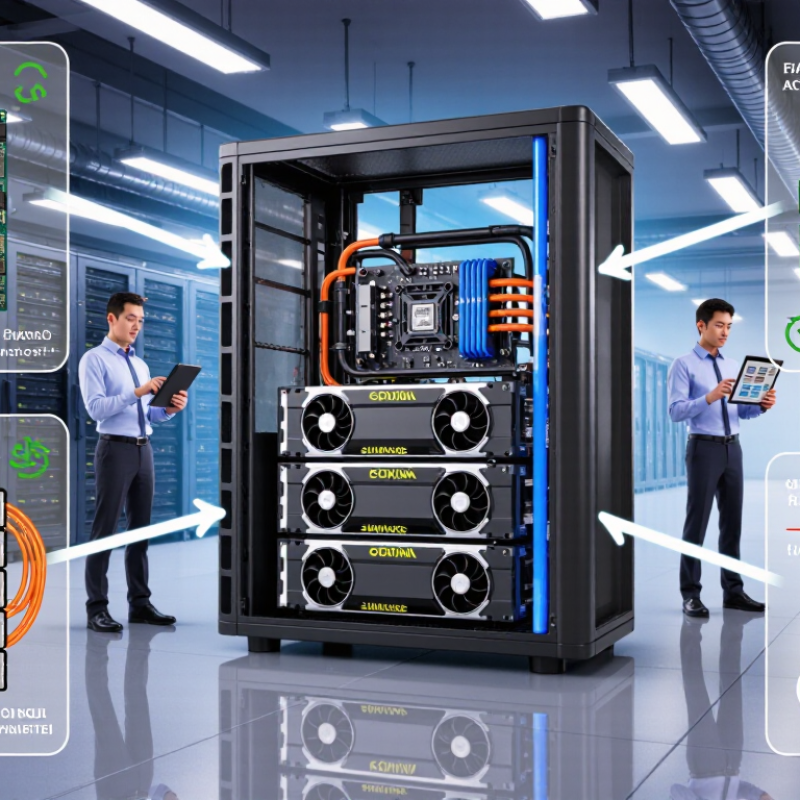
An AI computing server is a system designed to train or run machine-learning models at high speed. It combines processors, accelerators, high-bandwidth memory, and fast connections between machines. Unlike a general-purpose server, it must move huge datasets without leaving costly compute resources idle. Picture a rack processing medical images or generating language, with hot air flowing through tightly packed hardware. Small details matter. Network delays, memory limits, and cooling can all reduce performance.
The role of these servers is growing, but forecasts need careful reading. IDC’s Worldwide AI and Generative AI Spending Guide projected global AI spending would reach $632 billion by 2028. That figure covers AI spending broadly, not server sales alone. The International Energy Agency reported that data centers used about 415 terawatt-hours of electricity in 2024, and projected demand could exceed 945 terawatt-hours by 2030. This includes many workloads, not just AI. For 2026, useful systems will balance computing speed with power use, cooling needs, and reliable operation. A specification sheet cannot show every real-world bottleneck. Sometimes, the most powerful server is not the best fit.
| Evaluation Dimension | What an AI Computing Server Does | What to Verify in a Manufacturer’s Specification | Why It Matters |
|---|---|---|---|
| Server Definition | A server built to run AI workloads using accelerators, host processors, memory, storage, and high-speed networking. | Confirm the complete system configuration, supported workloads, and whether listed performance figures are for one server or a multi-server cluster. | “AI server” can describe systems with substantially different architectures and capabilities. |
| Workload Fit | Supports model training, fine-tuning, inference, or a combination of these tasks. | Request workload-specific benchmarks, including model, precision, batch size, software stack, and measurement method. | Performance results are meaningful only when the test conditions resemble the intended workload. |
| AI Accelerators | Provide parallel processing for operations such as matrix multiplication used in many AI workloads. | Check accelerator quantity, supported types, memory per accelerator, power limits, and whether all accelerators can operate at their rated configuration. | Accelerator count alone does not establish usable performance; memory and system-level integration also matter. |
| Host CPU and Memory | Manage system operations, data preparation, input/output, and communication with accelerators. | Verify CPU configuration, system memory capacity, memory bandwidth, and the number of memory channels supported. | Insufficient host resources can limit accelerator utilization and data-feed rates. |
| Accelerator Interconnect | Moves data between accelerators within a server and can support coordinated computation. | Ask for the interconnect topology, supported bandwidth, peer-to-peer behavior, and any topology diagrams. | Communication paths affect performance when models or workloads are distributed across multiple accelerators. |
| Expansion I/O | Connects storage, network adapters, and other components to the server. | Check supported PCI Express generation, lane allocation, slot availability, and the effect of installed devices on available lanes. | PCI Express 5.0 signals at 32 GT/s per lane; this is a signaling rate, not application data throughput. |
| Cluster Networking | Connects servers so distributed training and other multi-node workloads can exchange data. | Verify network interface speed, port count, fabric design, congestion controls, and measured collective-communication performance. | Network bottlenecks can reduce scaling efficiency as workloads span more servers. |
| Storage and Data Path | Stores models, datasets, checkpoints, and inference data, and supplies them to compute resources. | Review drive type and quantity, usable capacity, RAID or redundancy options, storage bandwidth, and supported external storage connections. | Fast compute resources may be underused if datasets or checkpoints cannot be read and written efficiently. |
| Cooling and Thermal Design | Removes heat from processors, accelerators, memory, and power components during sustained operation. | Confirm supported air or liquid cooling configurations, facility requirements, operating temperature range, and service procedures. | Cooling capability affects deployment compatibility, sustained operation, and data-center planning. |
| Power and Rack Planning | Supplies electrical power to the system and distributes it across installed components. | Request maximum and typical power figures for the proposed configuration, power-supply redundancy details, connector requirements, and rack dimensions. | Electrical capacity, rack space, and power distribution must match the actual system configuration. |
| Software and Manageability | Provides the drivers, firmware, monitoring, orchestration, and management tools needed to operate the server. | Check supported operating systems, accelerator software, container workflows, firmware update process, remote management, and security controls. | Software compatibility and manageable updates influence deployment effort and operational reliability. |
| Reliability and Support | Helps keep systems operational through diagnostics, replaceable components, maintenance, and technical support. | Review warranty terms, response-time commitments, spare-parts availability, service coverage, and documented repair procedures. | Support quality affects downtime risk and the long-term cost of operating AI infrastructure. |
| Manufacturer Selection | Combines system design, integration, documentation, support, and delivery capability for the intended deployment. | Compare complete, workload-matched proposals using the same benchmark conditions, configuration details, service terms, and deployment requirements. | No single specification identifies the best manufacturer for every workload, facility, or budget. |
Selection note: Treat performance figures as configuration- and workload-dependent. Request test methodology and written confirmation of the exact hardware, software, power, cooling, and support configuration being quoted.
It is a high-performance system built to train or run machine-learning models. It combines processors, accelerators, high-bandwidth memory, and fast networking. Think of tightly packed racks processing images or language.
AI workloads move enormous datasets between memory, processors, and accelerators. Slow connections can leave expensive computing resources idle. Memory limits matter too.
Compare throughput, latency, and performance per watt under identical software settings. Check the model type, precision, and batch size used during testing. A peak score alone tells little.
No. Benchmarks may not match your airflow, workload mix, or power limits. Request results from independent, documented tests when possible. Real conditions differ.
They are critical for stable, long-term operation. Ask for measured rack power, cooling requirements, and sustained-load results. A hot rack can reduce performance.
Data-center electricity demand is expected to rise sharply through 2030. Efficient servers may reduce operating costs and cooling pressure. Speed is not everything.
Review firmware updates, component traceability, burn-in procedures, and replacement-part availability. Ask how quickly technicians respond to hardware failures. Service details matter.
Not necessarily. The strongest system may waste power or exceed facility cooling capacity. A smaller configuration could fit the actual workload better. I might still overvalue impressive specifications.
Run a pilot with clear acceptance thresholds before a large purchase. Test real models, sustained workloads, temperatures, and power consumption. Plans can fail. Review the evidence.
In 2026, AI computing servers are specialized systems designed to handle demanding artificial intelligence workloads, including model training, inference, and large-scale data processing. Choosing the right ai computing server manufacturer involves looking beyond headline performance. Buyers should assess processor and accelerator options, memory capacity, storage and networking, power efficiency, cooling design, system reliability, and the ability to scale as workloads grow.
Leading manufacturers can differ significantly in platform flexibility, benchmark performance, configuration choices, technical support, and long-term service. A careful comparison should consider how each platform performs in the intended environment, along with deployment requirements, software compatibility, maintenance, and total cost of ownership. The best choice depends on the workload: training may require high parallel compute and fast interconnects, while inference may prioritize efficiency, latency, or deployment flexibility. By matching these needs to a manufacturer’s capabilities and support, organizations can select a server platform suited to their goals.
